-
2026
Study Abroad Manager
A full-stack web app designed to manage Ca' Foscari study abroad programs. It tracks the entire process connecting students, academic coordinators, and the International Office. Open projectClose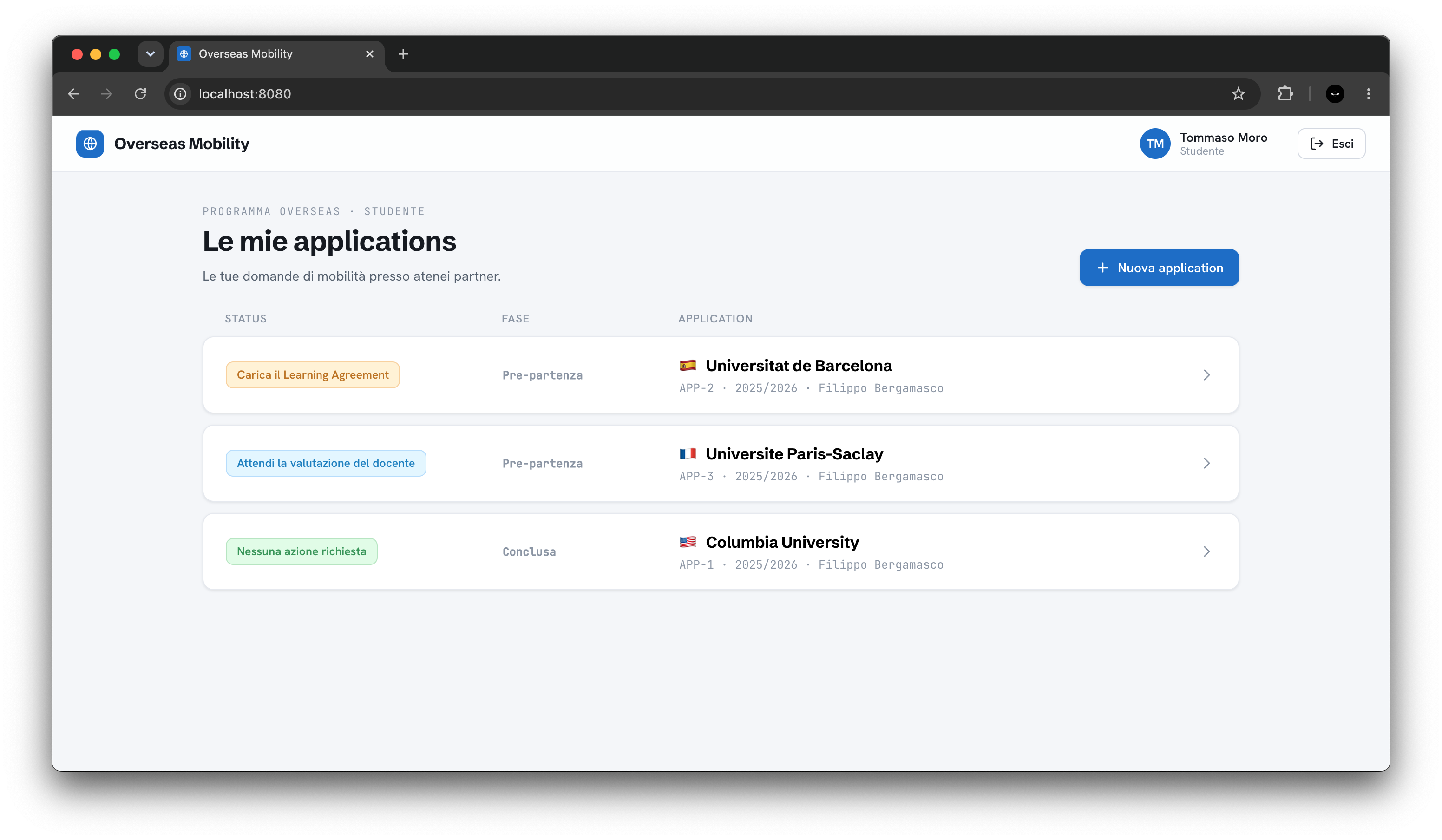
- Period
- Apr 2026 – Jun 2026
- Role
- Solo
- Status
- Completed
The demo runs in the browser with sample data that resets on reload. Interface in Italian.
Problem
Ca' Foscari's Overseas programme sends students to partner universities outside Europe, and each stay needs a learning agreement, approvals, plan changes and exam recognition shared by student, lecturer and office, all of it currently handled through email threads. My Web Applications and Technologies exam asked for an app to manage it.
Solution
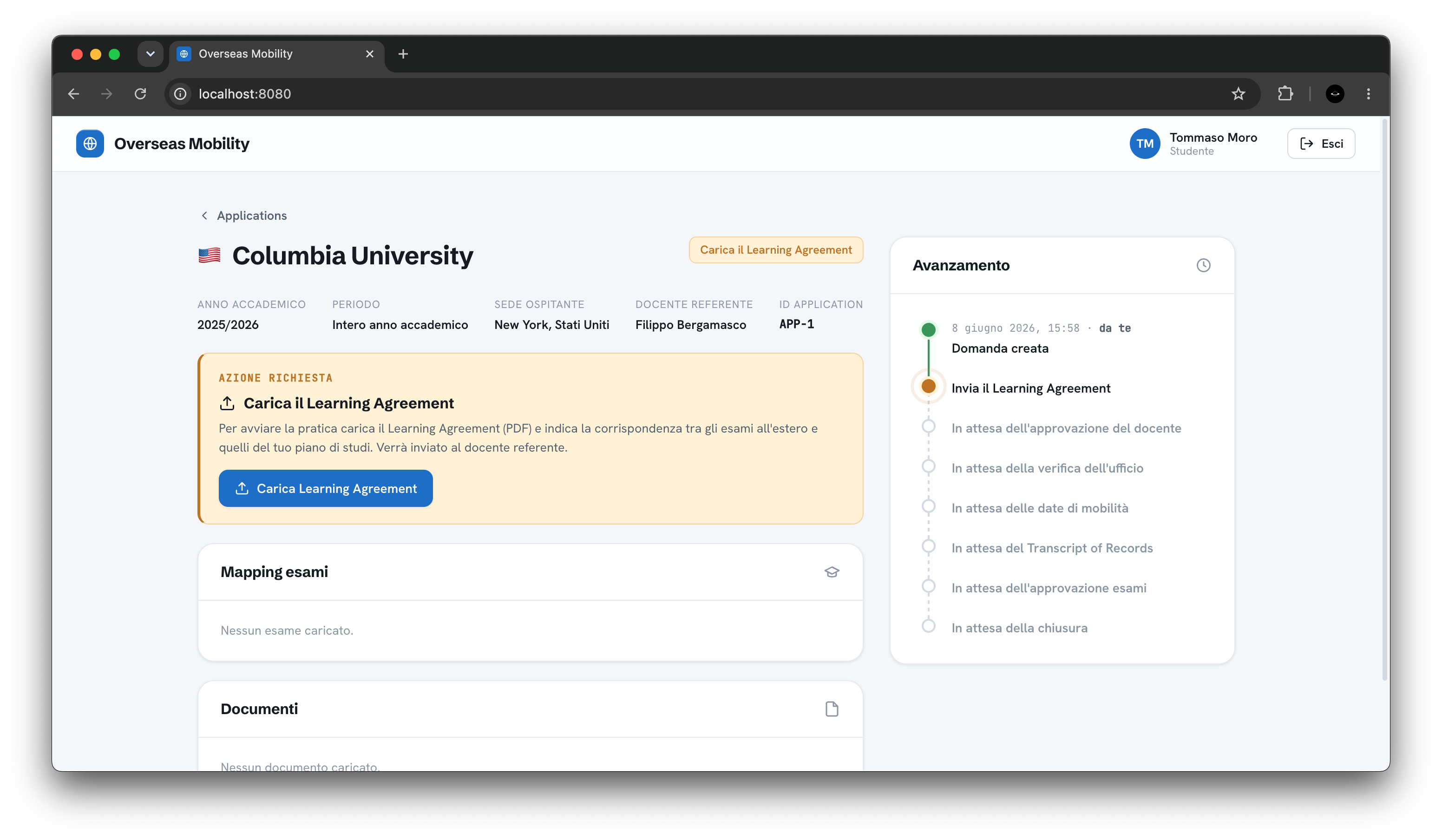
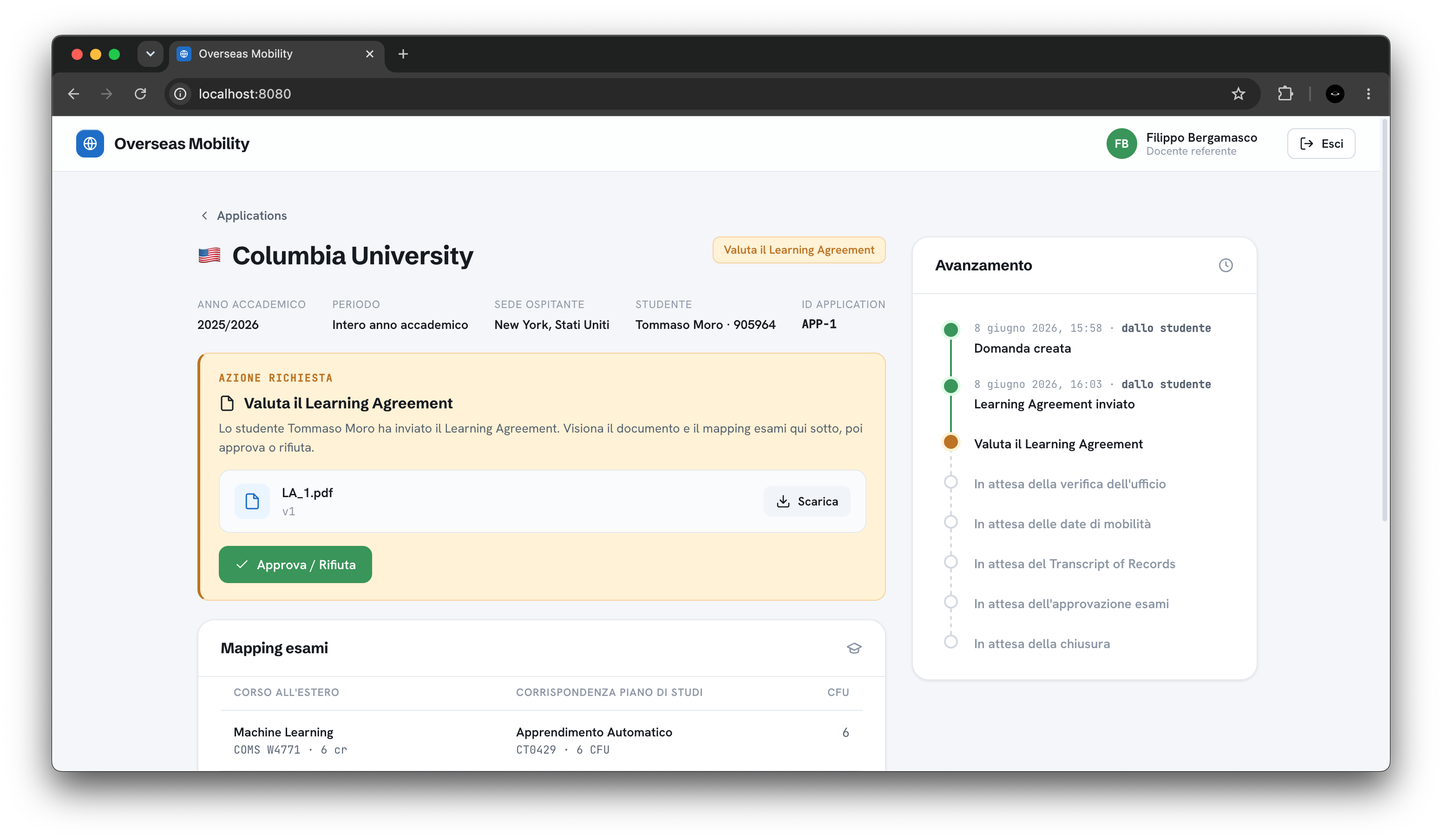
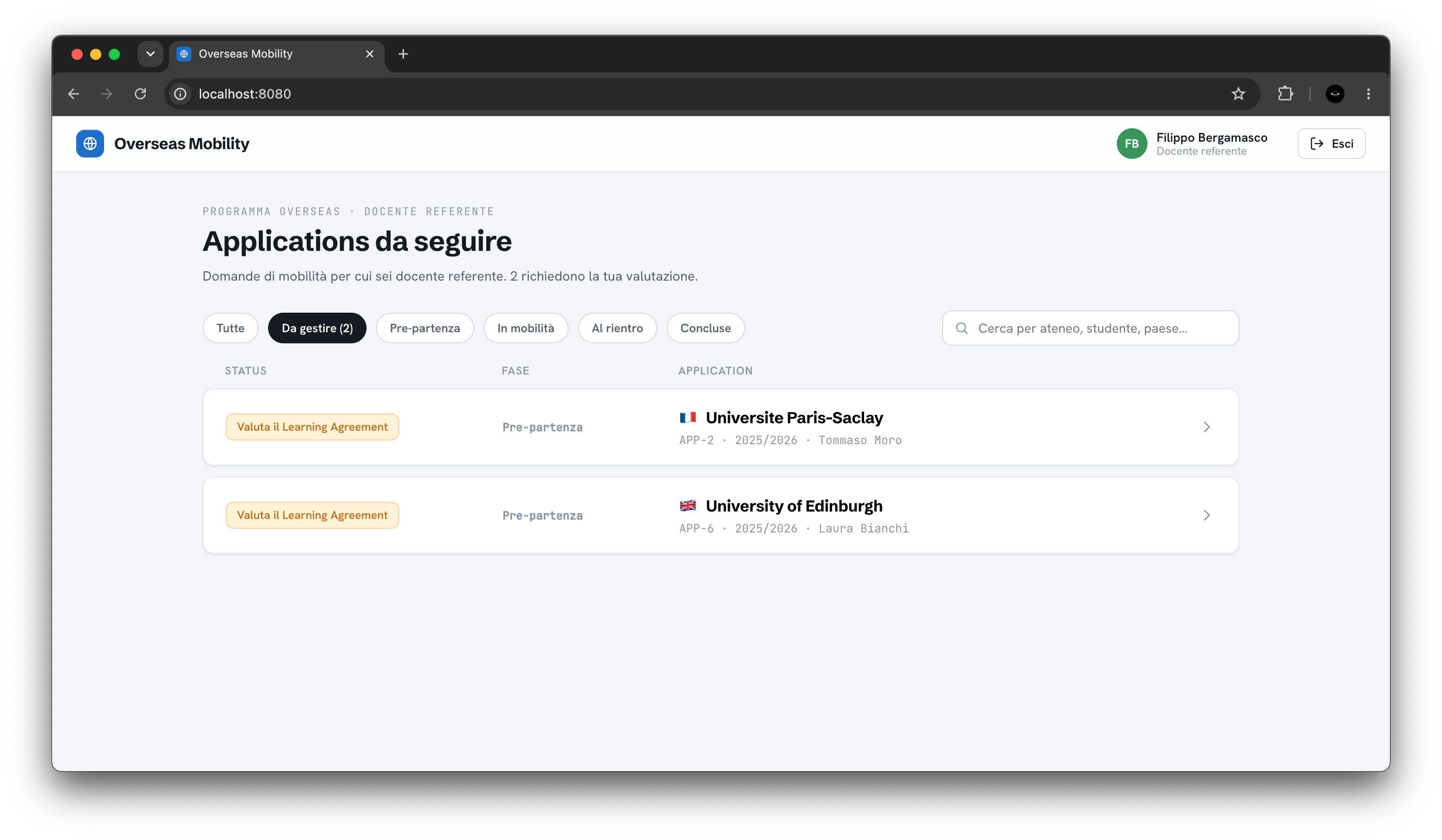
A web app with one view per role, driven by an 11-state workflow. Students create applications and upload PDFs with their exam plan and grades, and lecturers approve or reject them with a reason. The office checks the pre-departure phase and closes the file.
Challenges
- Every state change is checked against a table of allowed transitions, inside a transaction that locks the row.
- Each learning agreement version keeps its own exam plan, so rejecting a change reactivates the previous one.
- Socket.IO only says which application changed, and the client reloads it over HTTP, so the REST API stays the single source of truth.
What I learned
- Documenting a project properly: ER diagram, state machine, API reference and walkthroughs.
- Containerising three services with Docker Compose, with separate development and production setups.
- Angular with standalone components and signals, and TypeScript on both ends.
Stack
- Angular 18
- TypeScript
- Node.js
- Express
- PostgreSQL
- Socket.IO
- JWT
- Zod
- Multer
- Docker
- Nginx
Press & recognition
- Graded 30 cum laude out of 30 in the Web Applications and Technologies exam.
Screenshots
-
2025
Sales Agents Association CRM
A membership CRM for Agenti Treviso, an association of sales agents: member records, contact history and membership fees. Open projectClose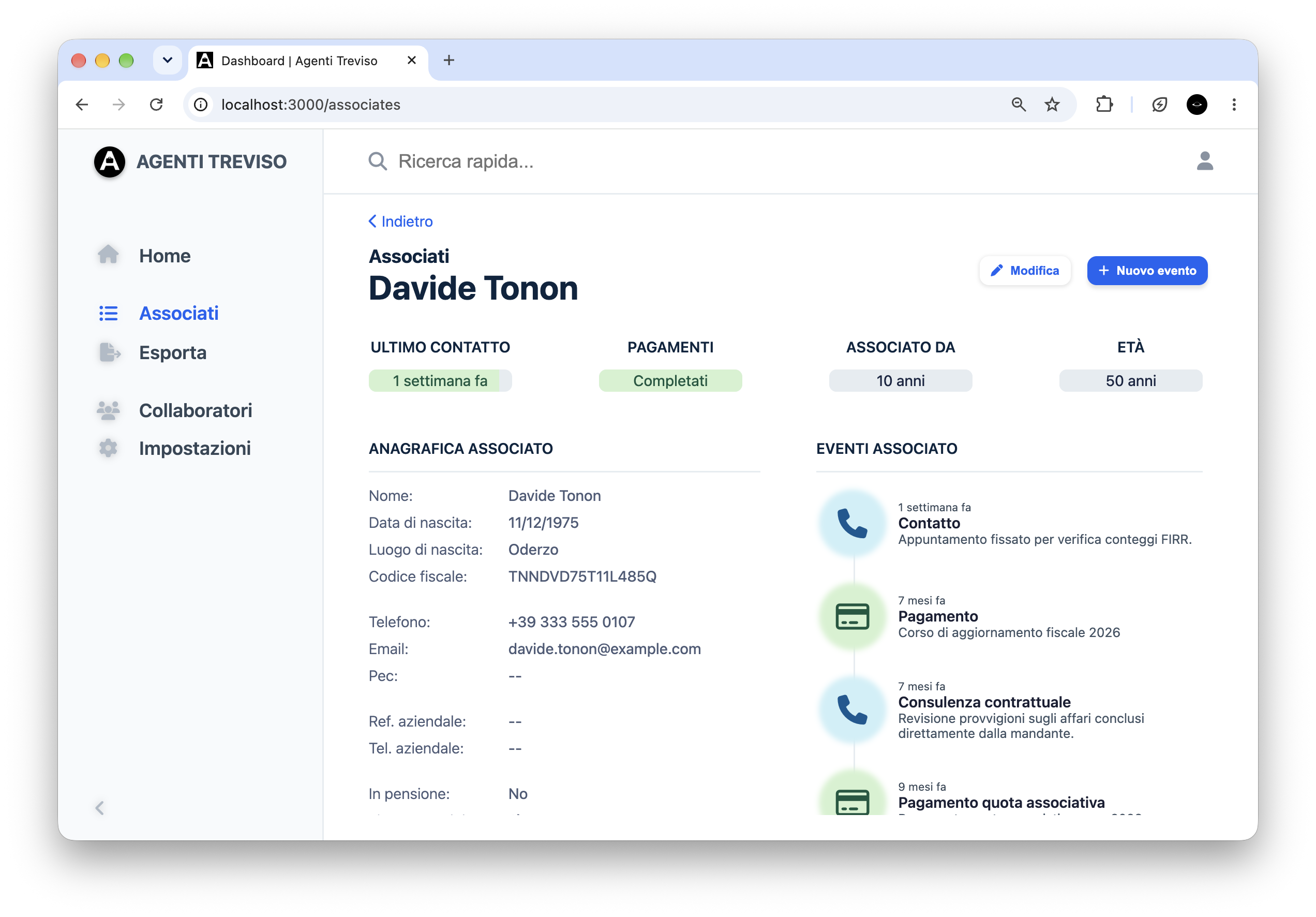
- Period
- Mar 2025 – present
- Role
- Solo
- Status
- In progress
This is a private client project, so the code is not public. The first version is finished and delivered, and I'm working on a second one.
Problem
Agenti Treviso, an association of sales agents, was running on an old management program that had become obsolete. Replacing it was my first paid project for a real client.
Solution
A web CRM where staff keep each member's record and a timeline of contacts, consultations and payments. Edits appear live in every open session, so the data stays in sync and organized in one place, in a simple interface that keeps everything in view. I'm working on smarter features, with the help of AI, so the association never loses touch with any of its members.
Challenges
- Working for a paying client: for the first time I had to meet firm deadlines and put a value on my work in time and money.
- Sync between staff sessions: every write is broadcast over Socket.IO and each client patches its open views without reloading, while handling the race conditions of two people editing the same record at once.
- Traceability: nothing is overwritten silently. Every change to a member or event is logged, so it's always possible to see what a record looked like before.
What I learned
- Designing everything before writing code, first with the client and then on the technical side, cuts development time considerably.
- Relying on Firebase and Algolia ties an app meant to run for years to services that can deprecate features or break compatibility. The second version I'm working on removes them and runs in Docker.
- A codebase this size needs types: I'm writing the second version in TypeScript.
Stack
- Node.js
- Express
- Socket.IO
- Firebase (Firestore, Auth, Storage)
- Algolia
- ExcelJS
- JavaScript
- HTML
- CSS
Screenshots
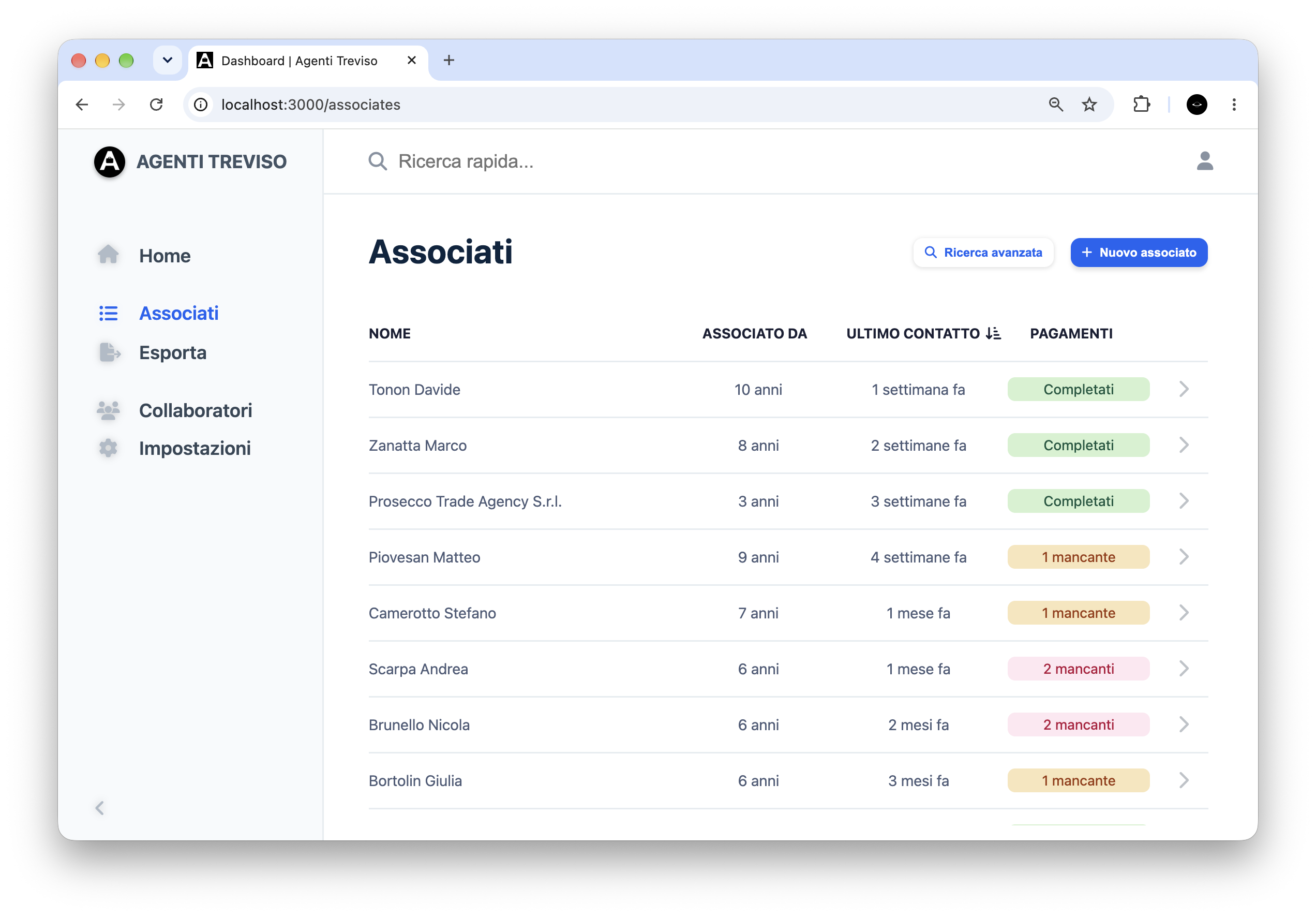
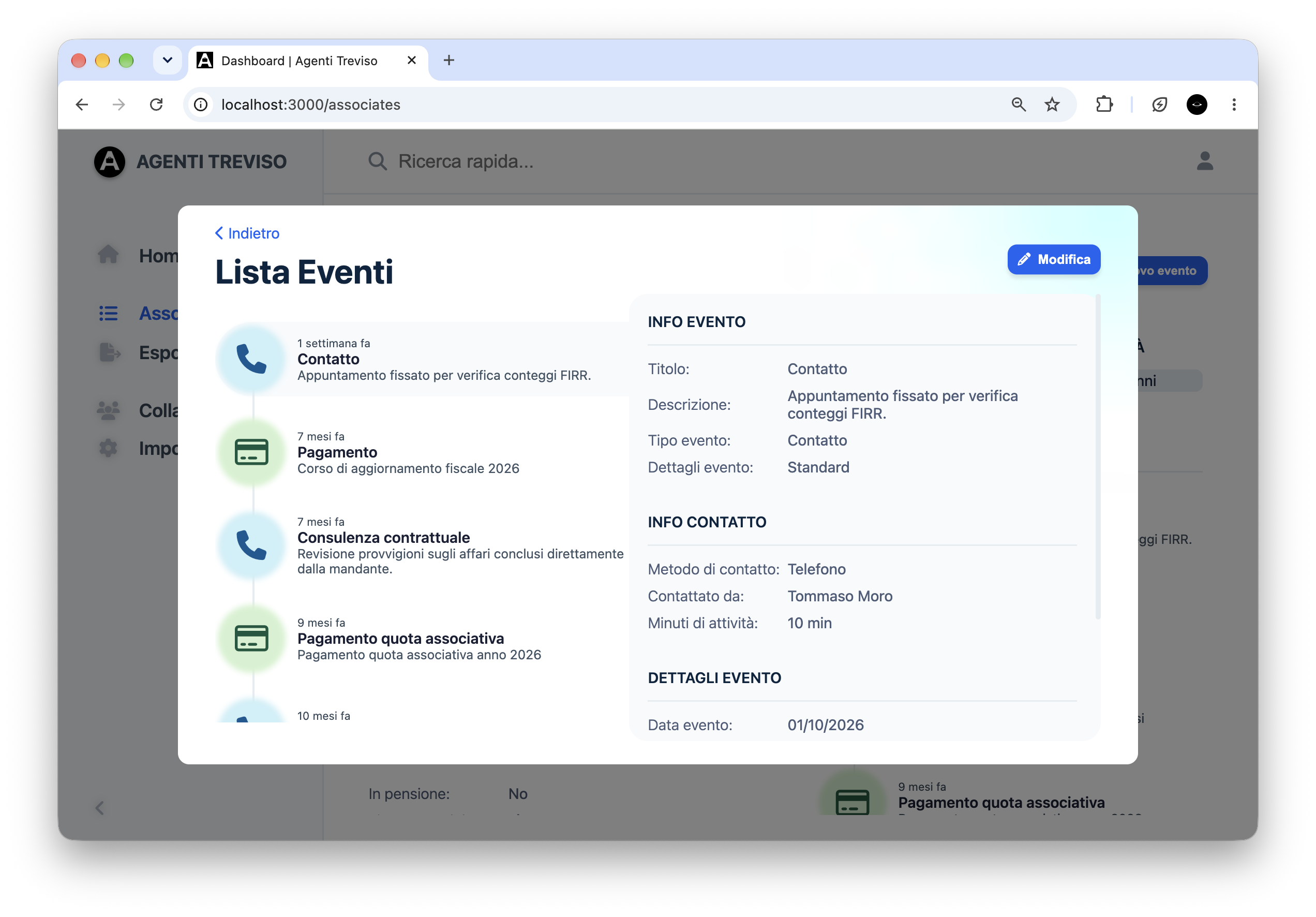 Code not public
 -
2024
Cinema Usher Schedule Generator
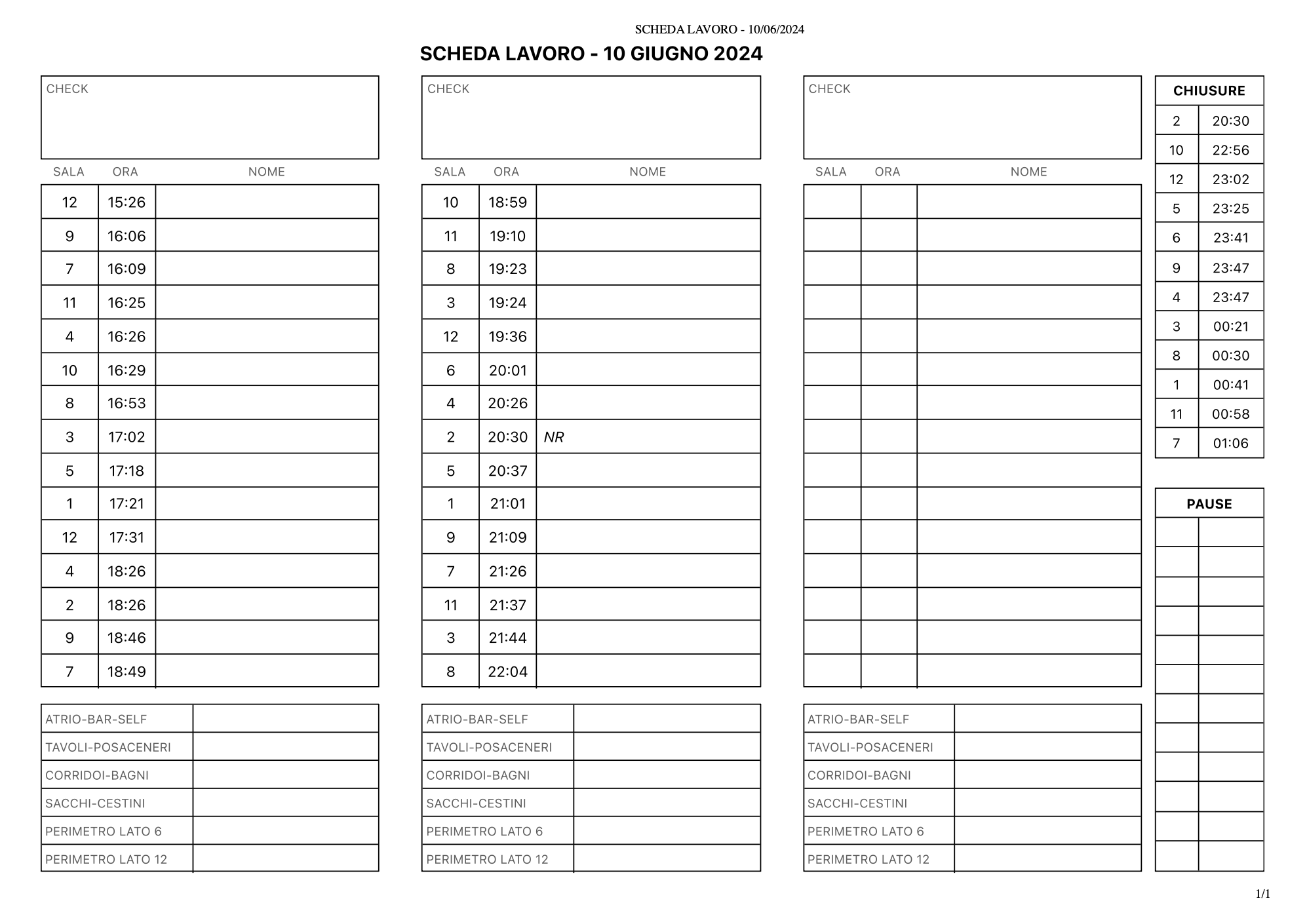
A web app that turns The Space Cinema's daily screening schedule into a printable work sheet, with the time ushers must enter each screen. Open projectClose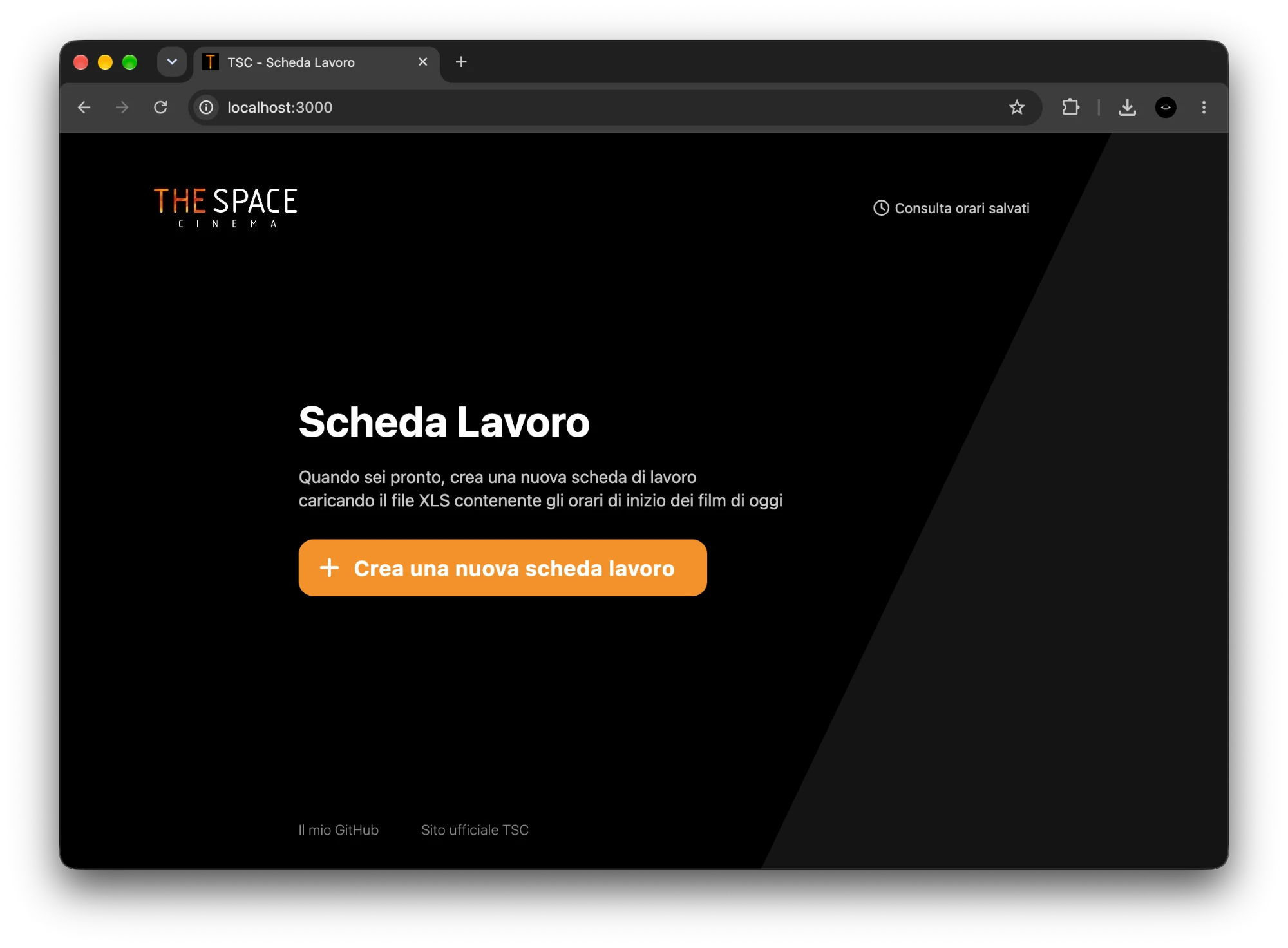
- Period
- Jun 2024 – Jul 2024
- Role
- Solo
- Status
- Completed
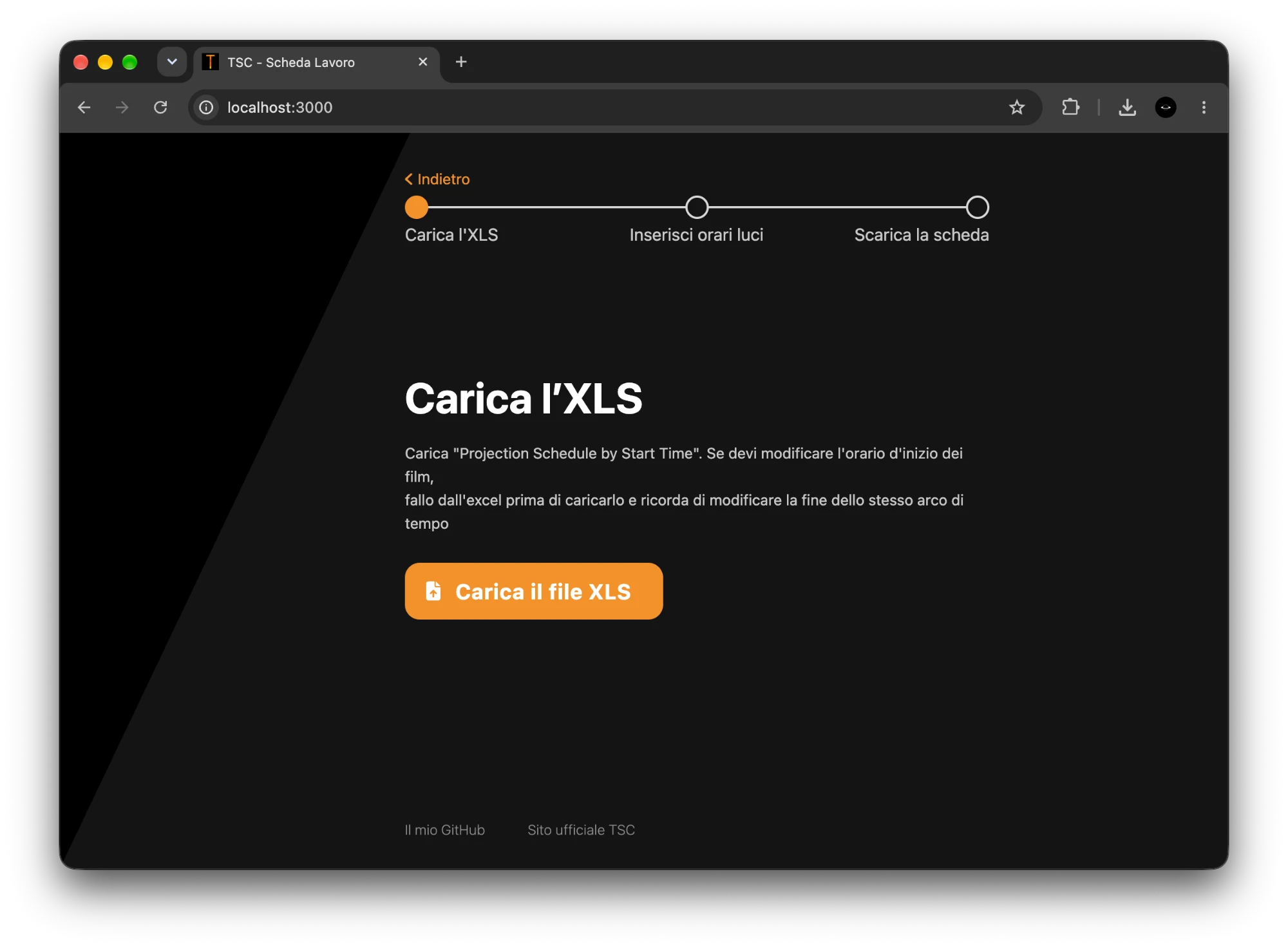
No public demo. You can run it locally with the sample cinema schedule included in the repository.
Problem
At The Space Cinema in Treviso, where I worked as an usher, audiences leave through exits under the screen. Ushers must enter before the credits, but the cinema's system only lists when screenings end, so staff worked out every entry time by hand.
Solution
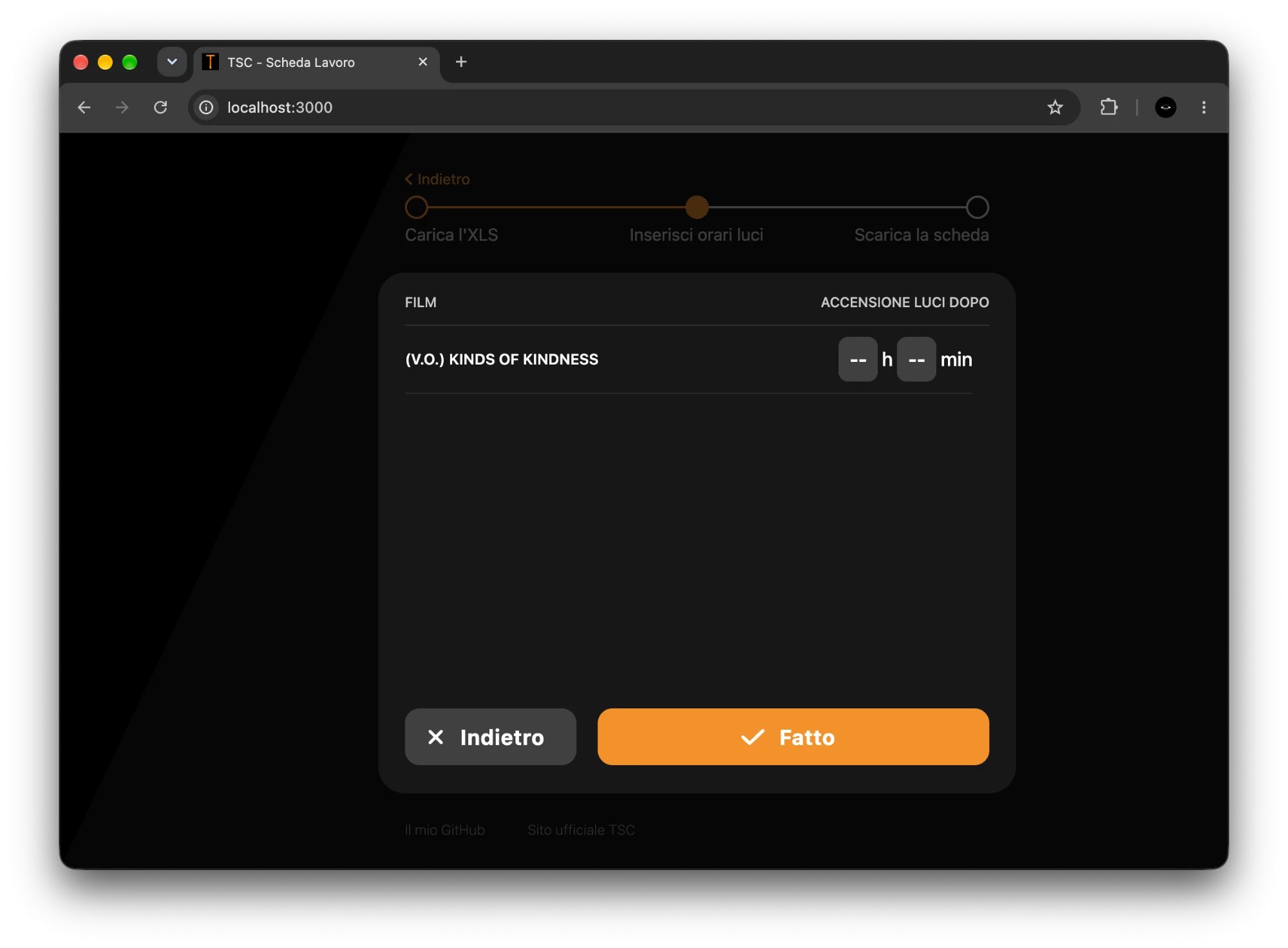
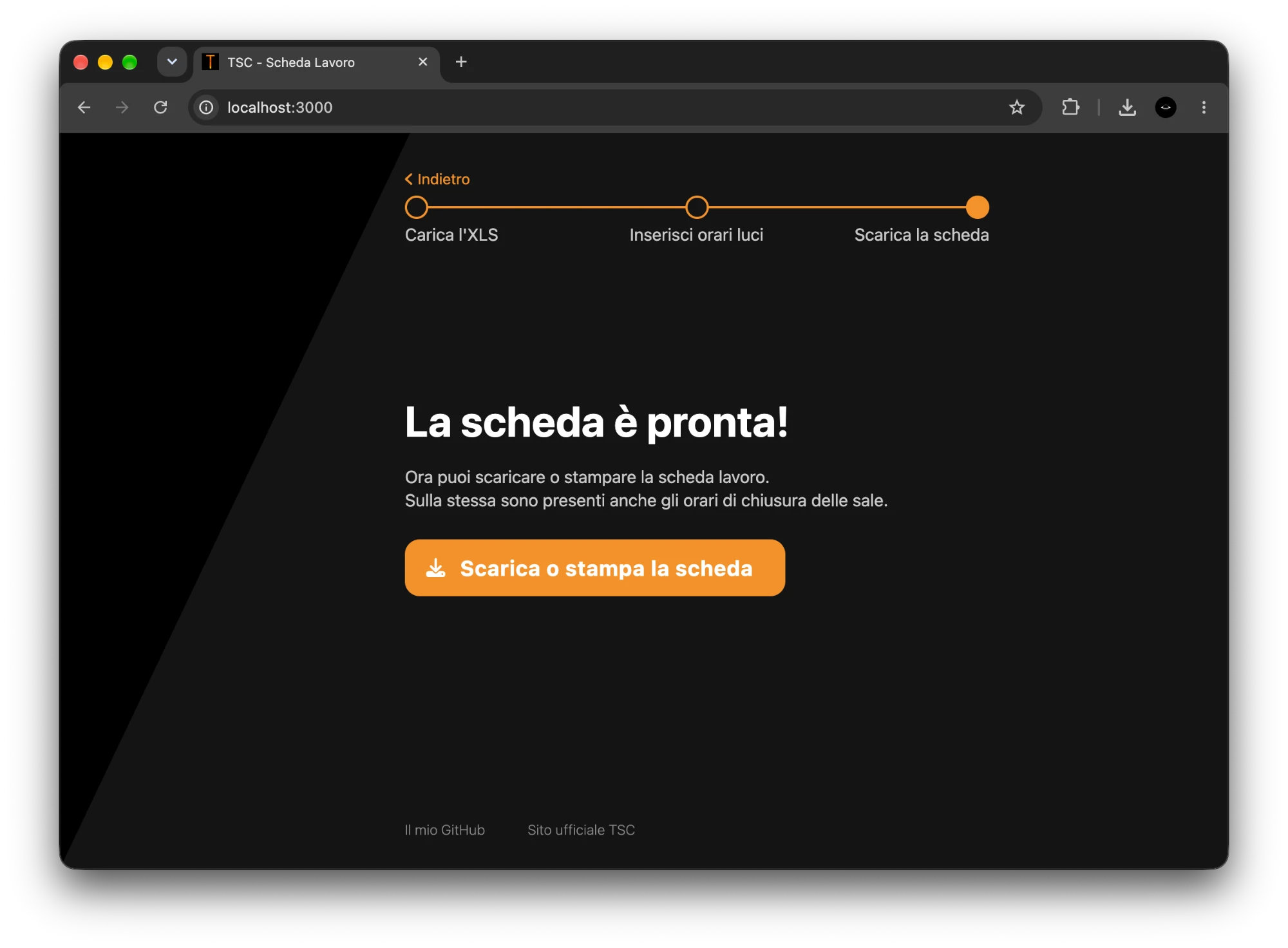
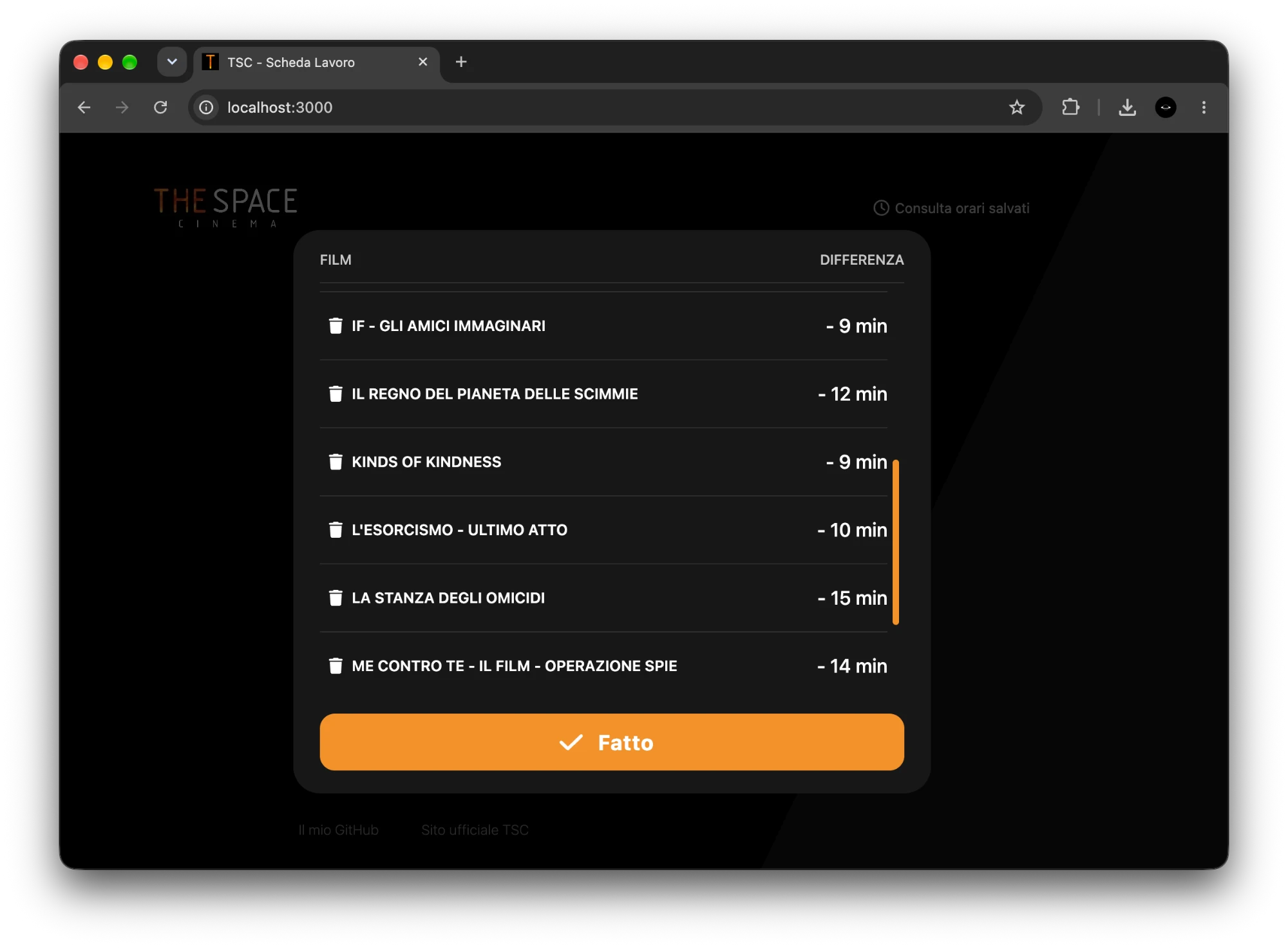
A web app that turns the cinema's daily schedule into a printable work sheet. The sheet shows when to enter each screen and when each screen closes. Each film's credits length is entered once and saved, so later sheets need no manual input.
Challenges
- Choosing what to save: the schedule's start time includes the ads, which change every week, so I save the credits length, which never changes.
- Reading the exported spreadsheet in the browser, where times come as text or as dates and screenings end after midnight.
What I learned
- Talking to a client for the first time and finding what they need.
- Working with what I had: a few sample exports and what I knew from my shifts.
- Designing a technical tool that anyone on staff can use.
Stack
- Node.js
- Express
- Firebase Firestore
- SheetJS
- HTML
- CSS
- JavaScript
Screenshots
-
ImpressionCafé - VR & Conversational AI
A VR reconstruction of the Café Guerbois where students can talk to four Impressionist painters, each played by an AI chatbot. 2 press mentions Open projectClose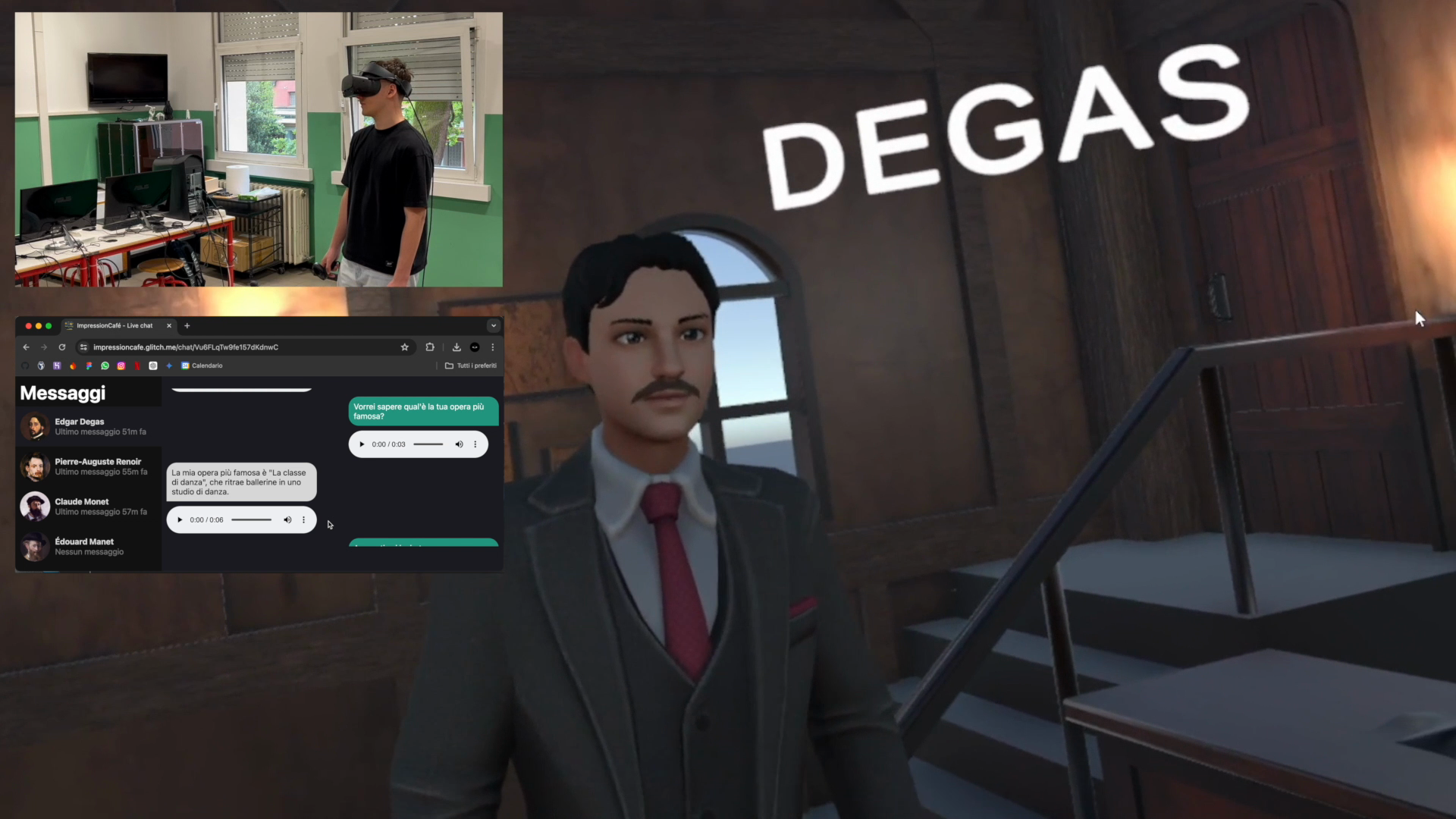
- Period
- Oct 2023 – May 2024
- Role
- Team of 2, backend
- Status
- Completed
The demo is a video. The live version needs a VR headset and paid AI services.
Problem
My art history teacher asked for an interactive reconstruction of the Café Guerbois where students could talk with the Impressionist painters instead of only reading about them. I teamed up with Ivan Lomaka and, drawing on our Cappella degli Scrovegni 360° project, we brought together AI chatbots, VR headsets and art history to build it.
Solution
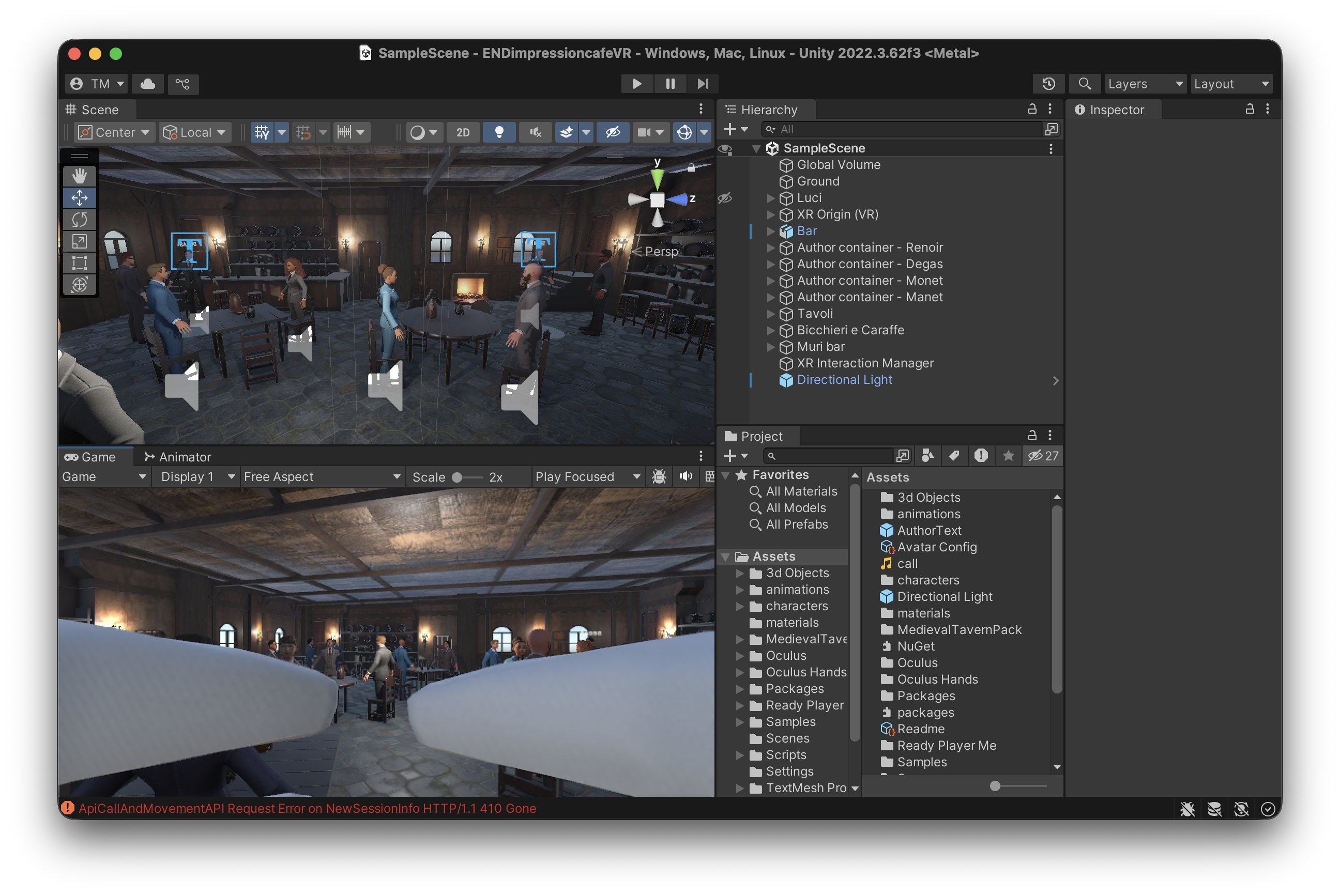
A VR café with Monet, Renoir, Degas and Manet: you walk up to one, ask a question out loud and he answers by voice, in character. A web page follows every conversation live and, without a headset, works as a simple chat with the painters. I built the server and the web pages, Ivan built the VR client, Andrea Luca Bristot modelled the café.
Challenges
- Waiting for the whole reply before turning it into speech was too slow, so I stream it and send each sentence to text-to-speech while the model is still writing.
- The audio clips can come back in the wrong order, so each one is numbered and they are always played in sequence.
- Each session has one socket channel that feeds both the headset and any browser watching.
What I learned
- Working in a team with a sharp split: the server was mine, Unity was Ivan's.
- Building a system whose parts live in separate environments, talk over an API and WebSockets and serve different kinds of clients at once.
- Working with the OpenAI APIs (chat models and Whisper) and Google Cloud Text-to-Speech.
- Treating response time as a requirement, not only whether the system works.
Stack
- Node.js
- Express
- Socket.IO
- OpenAI API (Whisper, GPT-3.5)
- Google Cloud Text-to-Speech
- Firebase (Firestore, Storage)
- Unity
- C#
Press & recognition
- Didattica interattiva: al Duca degli Abruzzi si studia nel metaversoArticle, Antenna Tre, 9 June 2024
- Il Metaverso del Café GuerboisArticle, Repubblica Scuola, 14 February 2025
Screenshots
-
2023
Spotify Stats with Friends
A web app where my friends and I log in with Spotify to see our top genres, tracks and artists. Open projectClose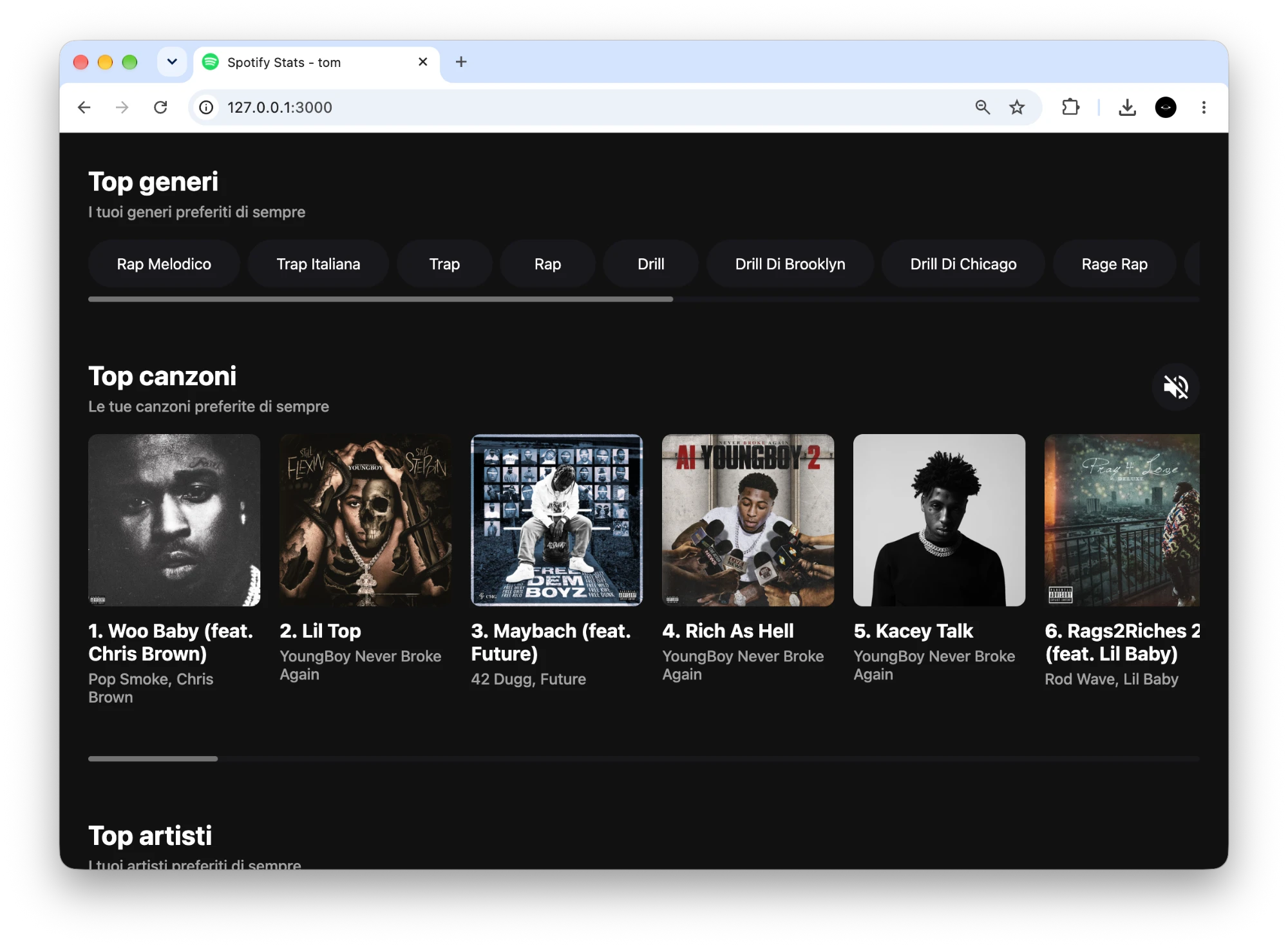
- Period
- Apr 2023 – May 2023
- Role
- Solo
- Status
- Completed
Static demo with a snapshot of my Spotify data from October 2026: opening the app to everyone needs Spotify's approval, whose strict requirements went beyond the scope of this project, so the real app stays in development mode
Problem
Music is one of my passions, and I wanted a way to see stats and information about my Spotify account. So I built my own app, with a social side, and took the chance to learn how a third-party API with OAuth works.
Solution
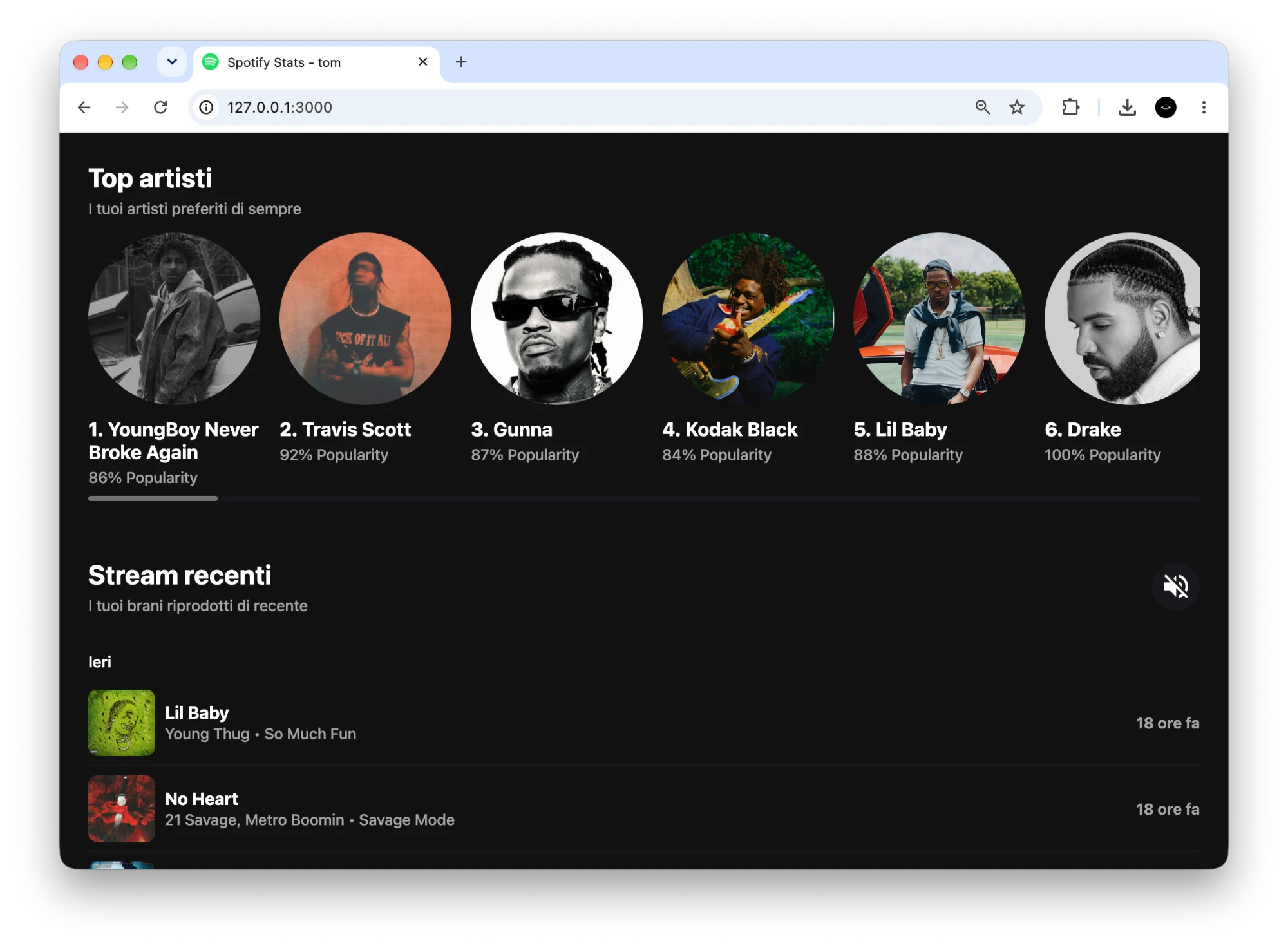
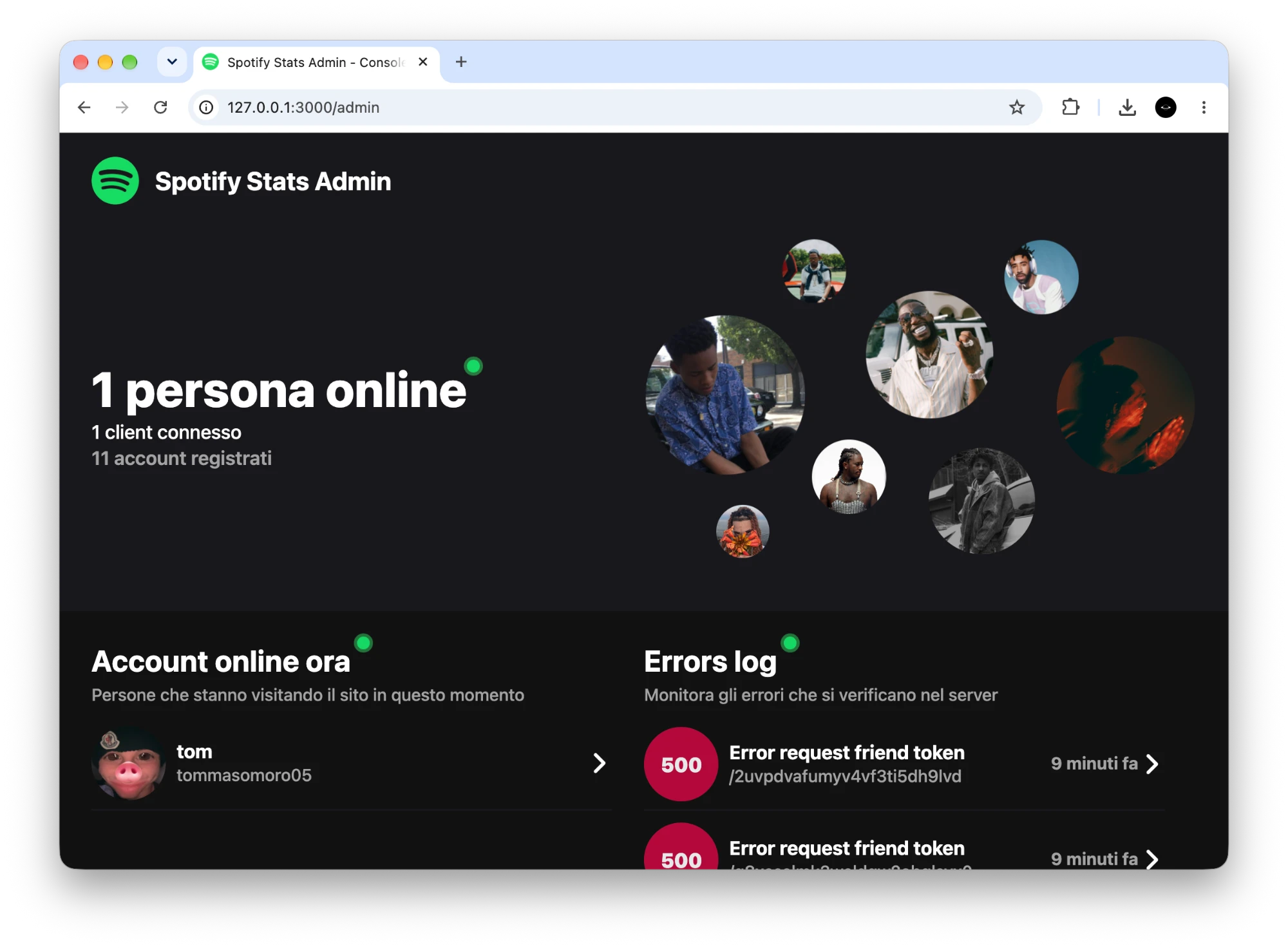
A Node.js web app where you log in with Spotify and see your top genres, tracks and artists over three time ranges, plus your recent streams. You can add friends by Spotify ID and open their stats. An admin console shows who is online and the server errors.
Challenges
- Keeping sessions alive: the server swaps the refresh token for a new access token when the old one expires.
- Friends' stats: Spotify shows top items only to their owner, so the server stores each user's refresh token.
- Live updates: Firestore listeners push notifications, friends and errors to the browser through Socket.IO.
What I learned
- How the OAuth 2.0 authorization code flow and refresh tokens work.
- How to manage sockets for live updates with Socket.IO.
- How to build an admin console with a live log of server errors.
Stack
- Node.js
- Express
- Socket.IO
- Cloud Firestore
- Spotify Web API
- JavaScript
- HTML
- CSS
Screenshots
-
2022
Scrovegni Chapel 360° Virtual Tour
A bilingual 3D tour of the Scrovegni Chapel in Padua: anyone can explore the interior from the browser and open a description and an audio guide for each of 58 frescoes. Award3 press mentions Open projectClose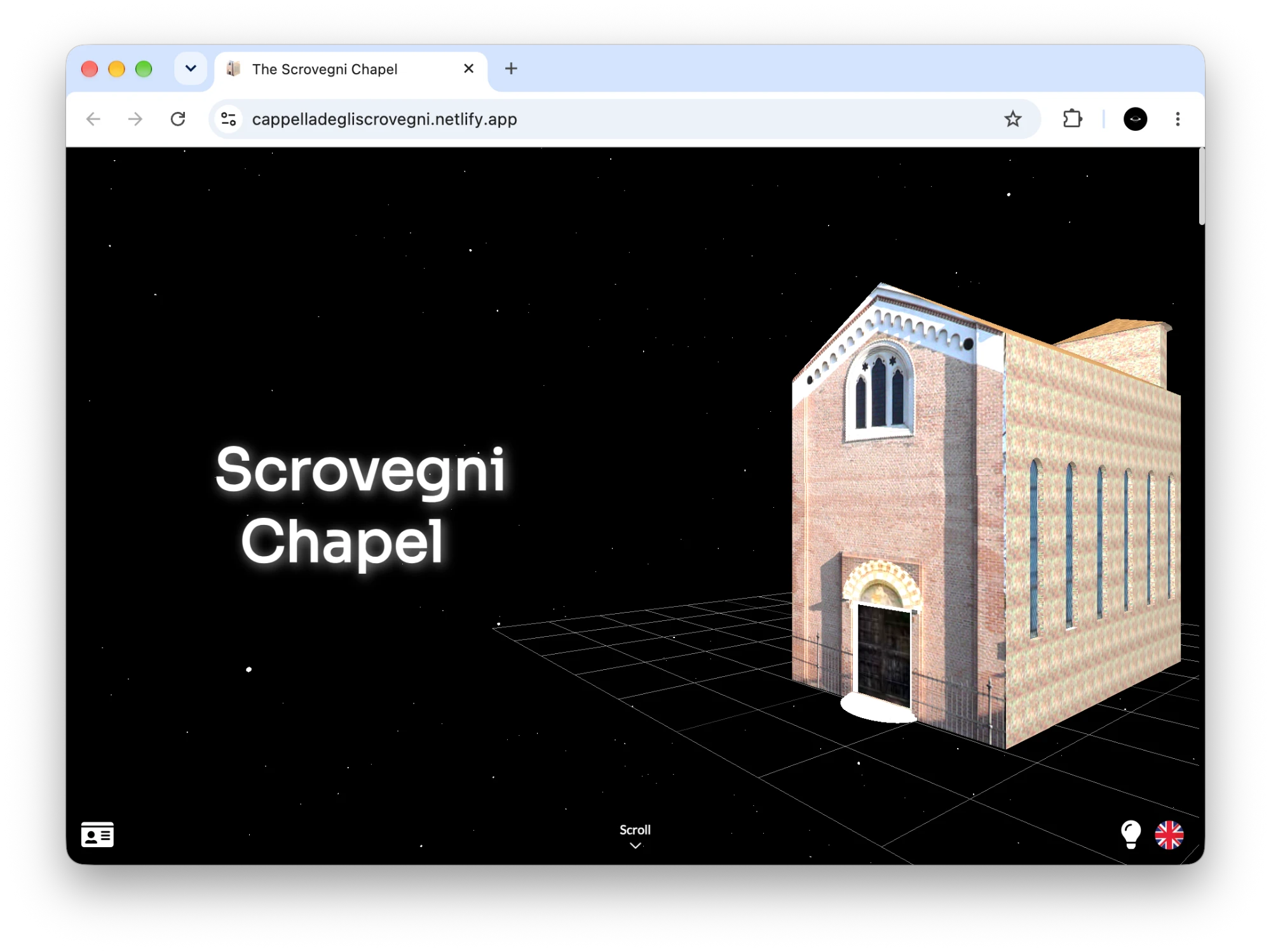
- Period
- Sep 2021 – Mar 2022
- Role
- Team of 2, lead developer
- Status
- Completed
The demo is served as a static page, so the rating and problem forms don't work there.
Problem
My art history teacher wanted a website that rebuilds the Scrovegni Chapel in 3D, with descriptions and audio guides of the frescoes made by the class. I built the site with my classmate @IvanLomaka, and together we designed and coded all of it, from the 3D scenes to the interface and the server.
Solution
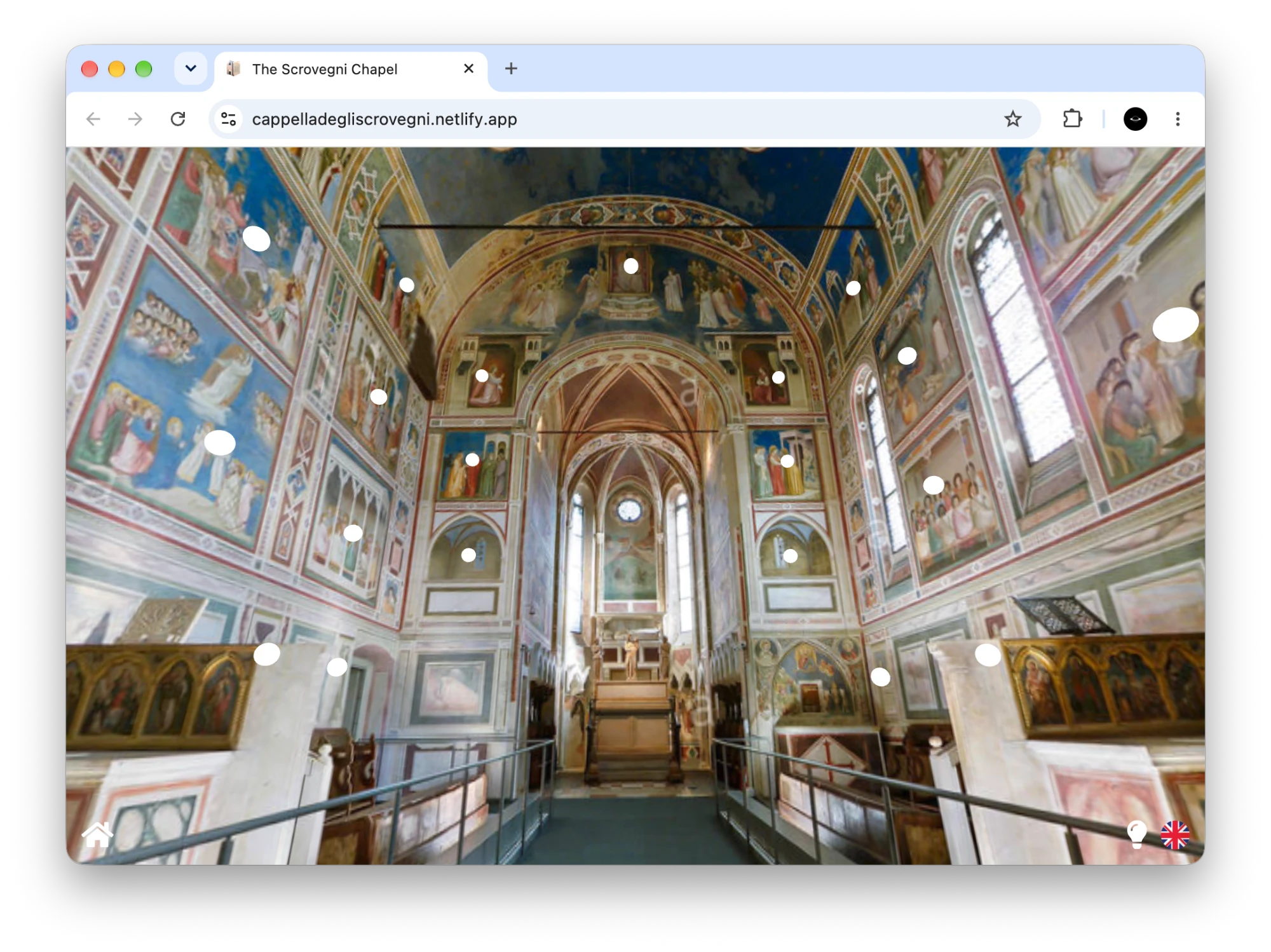
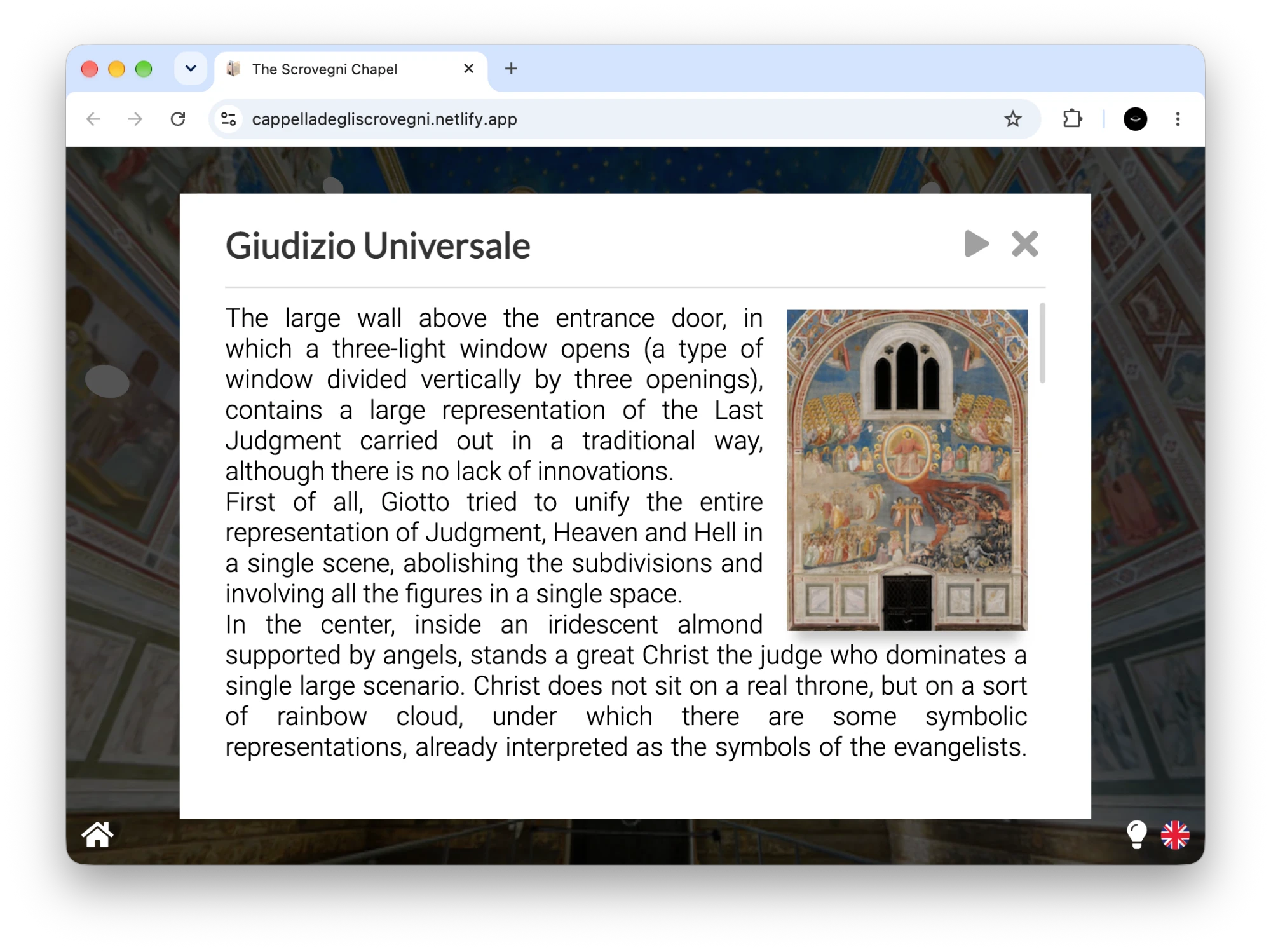
A three.js site that opens on a 3D model of the exterior and then moves into a 360° view of the interior, with 58 clickable points. Each point opens a description and an audio guide, in Italian or English, written and recorded by the class.
Challenges
- I drove the home camera with the scroll wheel, moving it between fixed viewpoints with an ease-in-out curve.
- I turned a cubemap into a 360° interior and made 58 points in 3D space clickable.
- I handed control from the WebGL canvas to an HTML panel and back.
What I learned
- The basics of three.js: scenes, cameras, renderers, models, cubemaps.
- How to mix a 3D canvas with ordinary HTML interfaces.
- My first server: Express, validation and a database behind a page.
Stack
- JavaScript
- HTML
- CSS
- three.js
- Tween.js
- Node.js
- Express
- Joi
- Firebase (Firestore, Analytics)
- Heroku
- Netlify
Press & recognition
- To Digital Competence 4.0: first placeAward, USR Veneto, 9 June 2023
- Il digitale oggiEvent, JobOrienta, 24 November 2023
- Concorso To Digital Competence 4.0Article, Liceo Duca degli Abruzzi, 3 December 2023
Screenshots
-
2021
Chess with Minimax AI
A chess game for the browser, written from scratch in plain JavaScript, with a minimax AI to play against. Open projectClose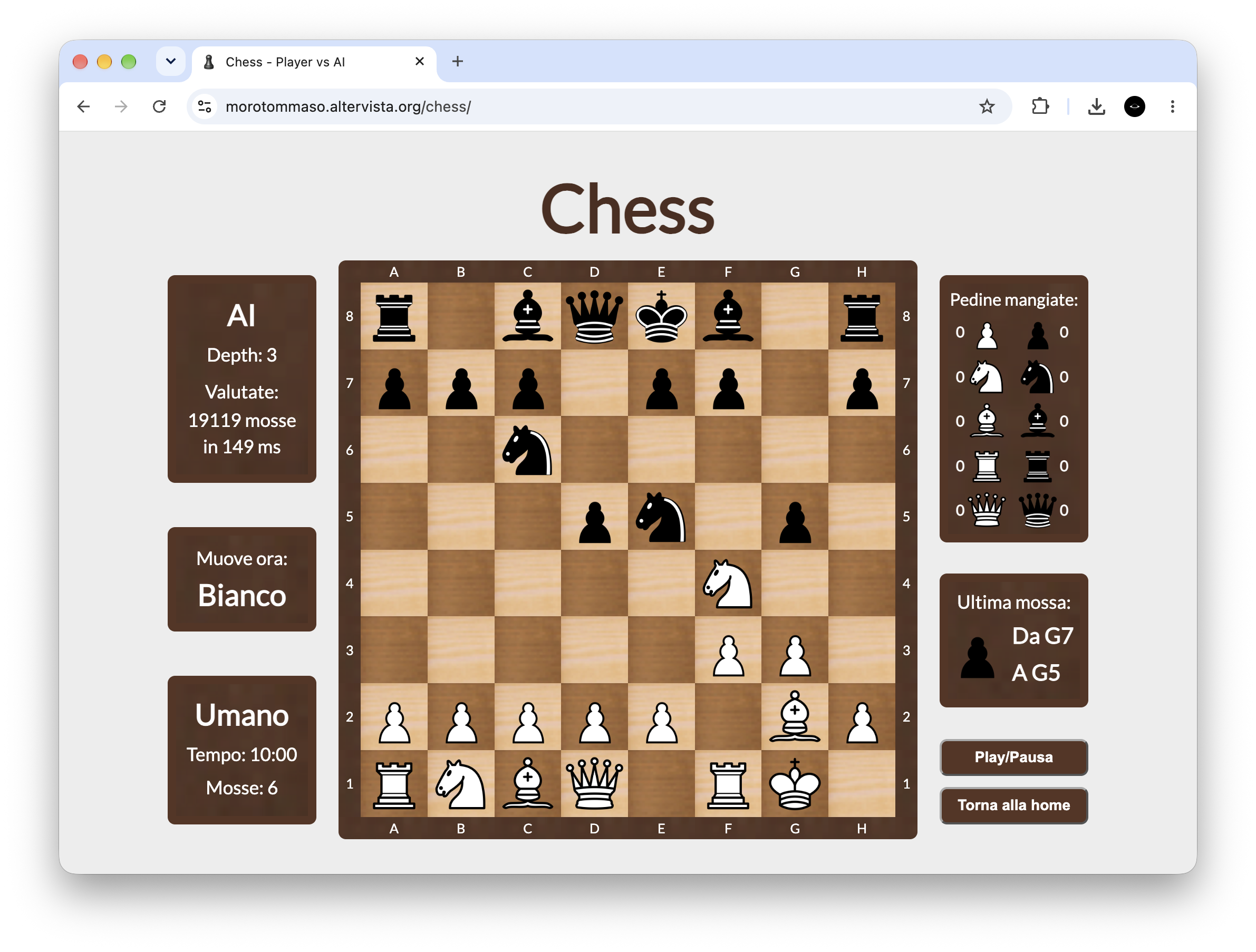
- Period
- Mar 2021 – May 2021
- Role
- Solo
- Status
- Completed
Problem
I've always loved computers, and high school turned that into programming. During the second Covid lockdown in Italy I had plenty of free time, and I wanted to rebuild chess and then get the computer to play against me.
Solution
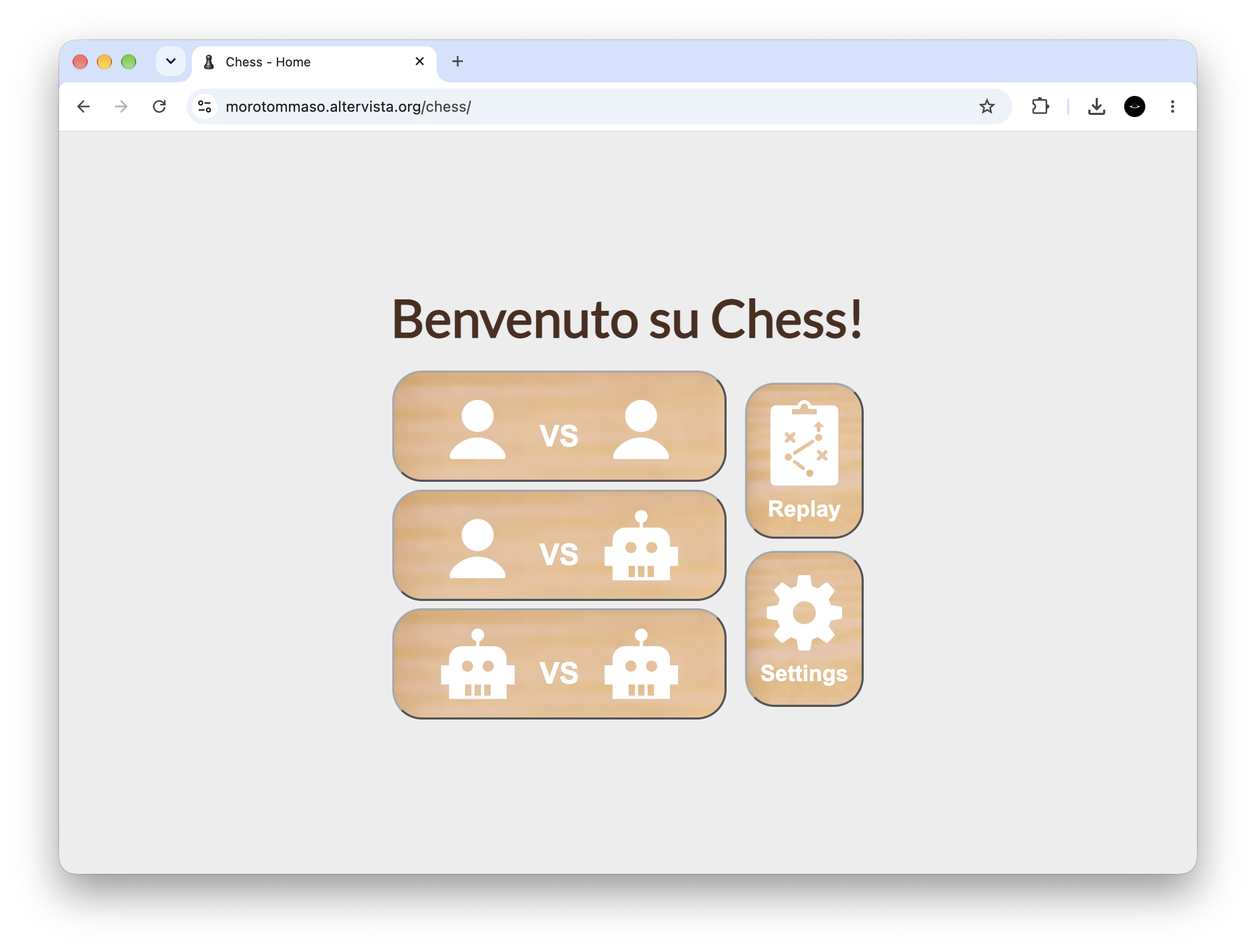
A web page where you can play against another person, against the AI at four difficulty levels, or watch two AIs play each other. Each level makes the minimax search one move deeper. Click a piece to see where it can move. Side panels show captured pieces, the last move and how many positions the AI evaluated.
Challenges
- Legal moves: I try each move on a copy of the board and discard it if it leaves the king in check.
- Checkmate or stalemate: with no legal moves left, the game is lost if the king is attacked and drawn if not.
- The AI: minimax with alpha-beta pruning, following a freeCodeCamp guide, adapted to my own board representation.
What I learned
- Modelling game state with 8×8 matrices.
- Driving a page through the DOM without a framework.
- How quickly global variables and repeated code become hard to change.
Stack
- HTML
- CSS
- JavaScript (no libraries)
- Google Fonts
Screenshots
Education
-
Oct 2024 – present
Bachelor's degree in Computer Science
Ca' Foscari University of VeniceTurning years of self-taught programming into solid foundations.
-
Aug 2022 – Jan 2023
Five-month exchange program
A.R. MacNeill Secondary School, Vancouver, CanadaAdapting to a new life and speaking English every day, in a city I fell in love with.
-
Sep 2019 – Jun 2024
High school diploma
Liceo Statale Duca degli Abruzzi, TrevisoAn Applied Sciences curriculum with computer science classes, turning an early fascination with computers into a love for building software.
-
Languages
Native Italian, English B2
Experience
-
Jan 2024
Software Engineering Shadowing
Targa Telematics, TrevisoA highly formative experience that taught me the importance of critical thinking and improved how I analyze and solve complex problems.
Other experience
Jobs outside programming that taught me to work with customers and in a team.
-
Jun 2025 – Apr 2026
Sales associate
MediaWorld, TrevisoSelling smartphones and related services, where I learned to turn technical specs into clear advice and to find out what each customer really needed.
-
Mar 2024 – Jan 2025
Multiplex operator
The Space Cinema, TrevisoBalancing shifts at the cinema with full-time studies taught me to manage my time with discipline and to stay reliable under pressure.
Press & recognition
Articles, competitions and events where my projects appeared.
- 14 February 2025 Il Metaverso del Café Guerbois Article, Repubblica Scuola. Project: ImpressionCafé - VR & Conversational AI
- 9 June 2024 Didattica interattiva: al Duca degli Abruzzi si studia nel metaverso Article, Antenna Tre. Project: ImpressionCafé - VR & Conversational AI
- 3 December 2023 Concorso To Digital Competence 4.0 Article, Liceo Duca degli Abruzzi. Project: Scrovegni Chapel 360° Virtual Tour
- 24 November 2023 Il digitale oggi Event, JobOrienta. Project: Scrovegni Chapel 360° Virtual Tour
- 9 June 2023 To Digital Competence 4.0: first place Award, USR Veneto. Project: Scrovegni Chapel 360° Virtual Tour
Curious about my work?
Let's get in touch!
Whether it's a project, an internship, or just a chat about something you saw here, I'd be glad to hear from you.